Monday, August 2, 2010

METASPLOIT TRAINING V2

METASPLOIT FRAMEWORK :


Metasploit - Penetration Testing Resources
Metasploit provides useful information and tools for penetration testers, security researchers, and IDS signature developers. This project was created to provide information on exploit techniques and to create a functional knowledgebase for exploit developers and security professionals. The tools and information on this site are provided for legal security research and testing purposes only. Metasploit is an open source project managed by Rapid7.

official site :
http://www.metasploit.com/


before we start this training :
- all this courses belong to pentest101 team .
- this courses , for educational purpose only .
- we are not responsible for any bad usage .
good , we can start noW .

------------auxiliary---------------
- auxiliary portscan
- auxiliary smb version
- auxiliary smb login check

------------hacking-xp--------------
- hacking xp sp3(bind)
- hacking xp sp3(reverse)
- hacking xp sp3(vncinject)

------------backdoors---------------
- make a backdoor : linux/x86
- make a backdoor (backdoor.py)
- encode a backdoor
- encode a backdoor (backdoor.py)
- make and encode a backdoor (with metasploit and sniff email u/p)
- script proback.py (backdoors for win32 linux osx)

------------meterpreter-------------
- meterpreter commands
- Meterpreter (screensht and key_scan)
- meterpreter packet's sniffing
- meterpreter metscv

------------advanced-usage----------
- autopwn
- browser autopwn
- file autopwn
- java signed applet
- fake update msf and ettercap
- discovering and exploiting remote buffer overflow
- discovering and exploiting remote buffer overflow (egg-hunter)


Source:
http://pentest101.blogspot.com/p/metasploit-training.html
http://www.vbspiders.com/vb/t33199.html
Thanks so much pentest101 & data$hack
Have a fun

Friday, July 30, 2010

Apt-get Cheat Sheet

Just something that always comes in handy for me and my short term memory. Apt-get is a package manager tool used to install, remove, update and manage packages (software) on debian/ubuntu based linux machines. I stubbled accross this on another blog and i find it to be short and straight to the point. Hope you may find this useful as well.

Taken from http://archangelamael.blogspot.com/2009/06/using-apt-get-quick-reference.html

There are 3 basic installers in BT4 apt-get the basic command line package
management system. aptitude is a curses based front end for apt-get.
And synaptic which is a gui version. Other than that there really are no major
differences.
Now lets look at some of the commands that are available for us.
First
Code:

# man apt-get

The manual page read it.
Code:

# apt-cache pkgnames

Gives us the names of all the installed packages we have on the system.
The list is not really to organized so add a | pipe and sort to the end and then it will alphabetized.
Code:

# apt-cache search programname

add the name of a program that you want to search for. The command will show software packages with the expression you entered. One problem with apt is that it really needs the exact name of a package for better results.
Code:

# apt-get install packagename

Pretty simple since all the work is now done for you.
There is a caveat to this method of package installation. You can't pass any
configuration options to the program. To remove a package just the opposite
should be done.
Code:

# apt-get remove packagname

This will remove the package but may not remove all configuration files. In order for that do instead
Code:

# apt-get remove --purge packagename

Next updating software.
First:
Code:

# apt-get update

This updates the list of currently installed software, this is the same list that we saw earlier. Next actually updating said list.
Code:

# apt-get upgrade

Now the thing about this command is that it will upgrade to the most recent
version of all packages on the system. This may or may not always be the best way of doing business. Some packages may not work as well as the older ones. Use with care. use a -s before upgrade to simulate, or see which software will be updated. A better way is to use dist-upgrade
Code:

# apt-get dist-upgrade

This will upgrade all packages with conflict resolution and discarding less important packages for more important ones. There are many other commands but the above should help get you started working with apt. Hope it helps.
Credits: This tutorial was created with help from the Debian APT How-To which can be found here: Debian -- Debian Documentation Project
And the man page

Resources/Good Reading:
http://archangelamael.blogspot.com
http://archangelamael.blogspot.com/2009/06/using-apt-get-quick-reference.html

Source: http://aerokid240.blogspot.com/search/label/apt-get
Thanks!

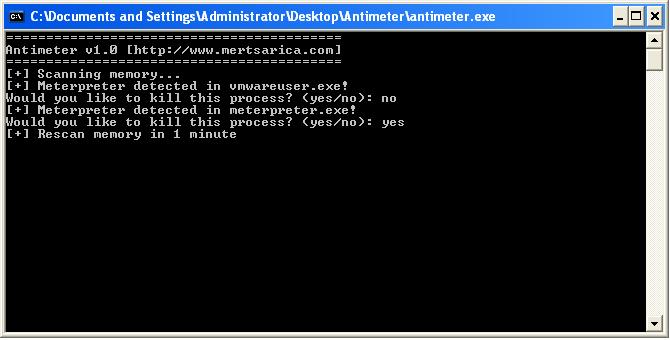
Anti Meterpreter

Command:
EXAMPLES
--------

Scans memory in every 5 minutes, kills the meterpreter process automatically, verbose mode is enabled: antimeter.exe -t 5 -a -v

Scans memory in every minute and only detects the meterpreter process: antimeter.exe -n

Scans memory in every minute, explorer and winlogon processes are excluded from scanning: antimeter.exe -e explorer.exe,winlogon.exe


Source:
http://www.mertsarica.com/ 
http://packetstormsecurity.org/filedesc/antimeter.zip.html

_____
:>)

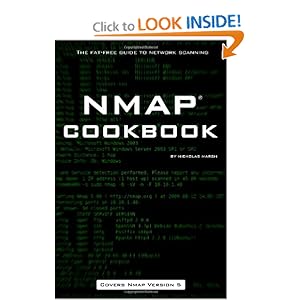
NMAP COOKBOOK

“NMAP COOKBOOK – The fat-free guide to network scanning” is the latest book on the world’s best network scanning tool, NMAP. It is the most popular tool with pathora of options which works on wide range of platforms including Windows & Linux.

NMAP is the most popular tool out there with so many options to fine tune the network scanning based on one’s needs. Often new comer and even experienced professionals find it difficult to use full features of NMAP when it comes to field work. In this direction, ‘NMAP Cookbook’ does a great job in conveying rich features of this great tool with its simplified and concise illustration.


In a nutshell, following topics have been covered,
Installation on Windows, Mac OS X, Unix/Linux platforms
Basic and advanced scanning techniques
Network inventory and security auditing
Firewall evasion techniques
Zenmap – A graphical front-end for Nmap
NSE – The Nmap Scripting Engine
Ndiff – A Nmap scan comparison utility


In addition to explaining basic scanning techniques, it goes on describing other related stuffs such as firewall evasion methods, scripting engine of NMAP, using graphical version of NMAP tool etc. These things together make it great reference book for any security professional.

The book is written based on latest version of the tool, NMAP 5.0. All the scanning options are shown along with visual illustrations which helps in quick grasping of practical examples.

     "Overall, it stands out from other NMAP based books due to its simplistic and concise explanation which         makes it very fast and easy to master the intrinsic technicalities of NMAP.

Source: http://nagareshwar.securityxploded.com/2010/04/19/book-of-the-month-nmap-cookbook/
Thanks!

________
:>)

Solving E: Sub-process /usr/bin/dpkg returned an error code(1)

Some Ubuntu users may had experienced this problem. And it’s can’t be fixed by simply typing sudo dpkg –configure -a . I got a way to resolve it, but users must be remember that I am not responsible for any trouble caused by this solution. I tried, and it works on my PC.

How to resolve it?


First Delete (sudo rm)
/var/lib/dpkg/info/"unwanted-package-name".postrm
/var/lib/dpkg/info/"unwanted-package-name".list


And over here, the unwanted-package-name is the package that causing the main problem, when the problem is appeared, you will know where the package that causing the problem.

After that, type this following codes respectively on the terminal.

sudo apt-get clean all

sudo apt-get update //run it twice

sudo apt-get upgrade

Note that for safety reason, please backup those files that I defined above.

Source: http://allforlinux.com/2010/07/solving-e-sub-process-usrbindpkg-returned-an-error-code1/
Thanks!

Saturday, July 17, 2010

Một suy ngẫm

                                   Vũ Thi

Người rách việc là người hay nghĩ, mà cũng phải thôi, kẻ khó thường hay ngẫm ngợi, so sánh! Sự đời mỗi ngày mở ra như một trang vở mới, có kẻ nhìn vào đó tối sẫm như bức vách, có người như buổi sáng tinh mơ, nhưng chung quy tất cả chúng ta đều suy ngẫm. Một ngày mới thì chưa tới, chưa qua, song chúng ta đều bắt đầu đặt vào đó biết bao nhiêu hoài niệm, trái phải và tất cả chúng ta đều phải bước tới một ngày. Chỉ có vậy, một ngày là 24 giờ chẳng kém, nó cứ lững thững đi qua đời kẻ khó và chạy biến qua mọi cuộc vui.
Người ta so sánh thời gian của nhau để tìm ra khác biệt vui buồn, sướng khổ nên thời gian nhiều khi cứ như kẻ vô loài ác độc, nó như cái thước, như quan tòa cho mọi suy ngẫm trên đời! Người ta mầy mò, dòm dõi nó cứ như là của lạ mà thực sự thì có gì là lạ lắm đâu, thật giản dị, buổi sáng có ánh mặt trời, về chiều có bóng đêm đó là hai cực của một ngày trôi nổi, song con người ta vẫn cứ là suy ngẫm mà tất cả có ai bỏ một giờ nào trong ngày đâu, họ tận dụng thời gian như ăn quả dừa: nước uống, cùi ăn, vỏ làm gáo, có lẽ cõi đời thật tuyệt diệu nên loài người thường hay kêu ca về nó! Có thể chúng ta là thành tinh của loài khỉ nên hay thường tò mò tinh quái như vậy, chúng ta cứ sống mà giày vò, dằn vặt nhau cho đủ hai bốn giờ trong ngày, chẳng sót phút nào mà ngơi, mà nghỉ, mà suy, mà ngẫm.


Thời gian cứ căng thẳng như sợi dây đàn, mà tiếng kêu là loài người tri kỷ. Họ sống trong thời gian và kêu ca về nó, có lẽ loài người khổ hơn cây cỏ vì thiên nhiên có than vãn gì đâu, người ta chiêm ngưỡng nó, song không học được điều gì ở nó, có lẽ chỉ có Lão Tử là người duy nhất thoát khỏi muộn phiền, tự hòa mình vào thiên nhiên không thiệt hơn, đừng phải trái. Mà ngẫm cho cùng, chúng ta có làm được điều gì hơn đâu!

Theo http://chungta.com/Desktop.aspx/ChungTa-SuyNgam/Nhan-Thuc/Mot_suy_ngam/
Xin cám ơn tác giả.

Tuesday, July 13, 2010

8 comprehensive safety tools and free web

Building off the latest version of Sandcat wanted to make a small collection of the most popular and powerful for the analysis of free web security.

On occasion I've read comparisons of these tools with others that only make their analysis based on signatures, such as Nikto or the free version of N-Stalker This comparison is wrong, since the approach is completely different. Both are focused on detecting vulnerabilities but the pattern-based applications generally have larger databases and updated comprehensive tools and therefore are complementary.

The characteristics are very similar in all of them make navigation and later released after the test. Except the last two scrawlr and Acunetix, which only detect SQL Injection and XSS respectively, all others look for common vulnerabilities.

Sandcat Free Edition
URL: http://www.syhunt.com/?n=Sandcat.Sandcat
Download: http://www.syhunt.com/?n=Sandcat.Download
Operating System: Windows


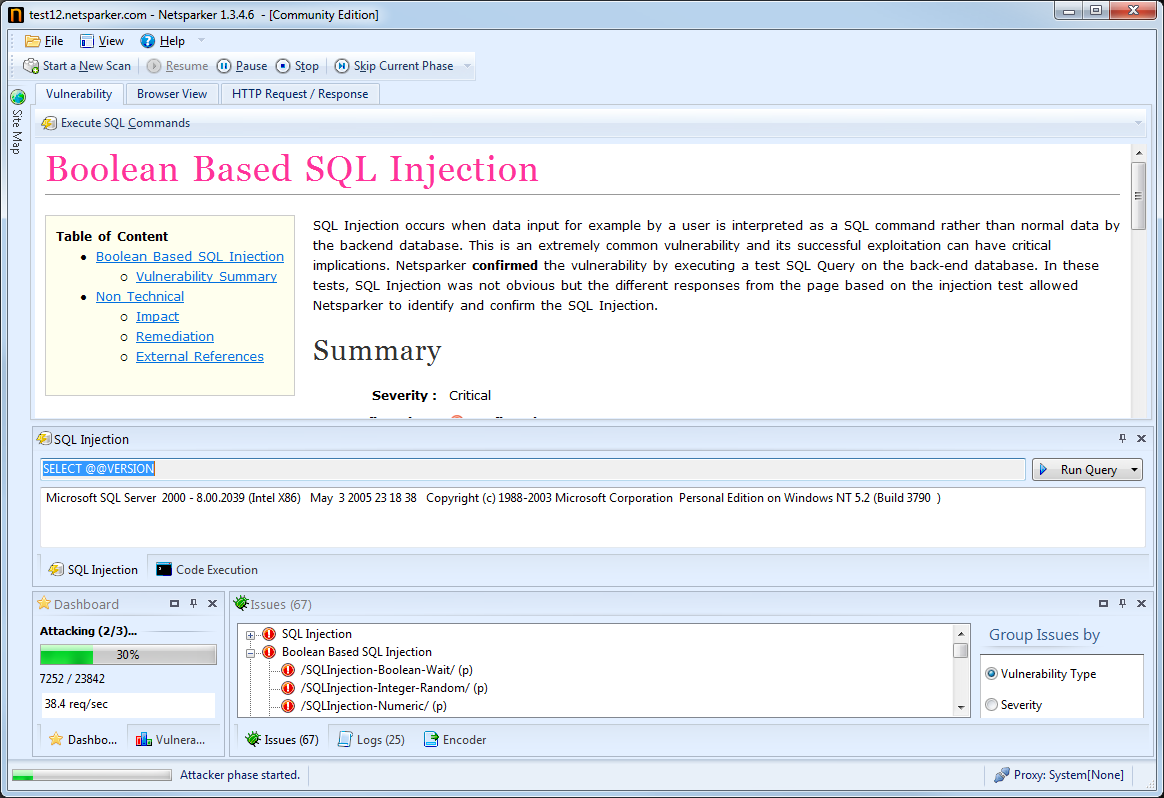
CE NetSpaker
URL: http://www.mavitunasecurity.com/communityedition/
Download: http://www.mavitunasecurity.com/communityedition/download/
Operating System: Windows


Websecurify
URL: http://www.websecurify.com/
Download: http://code.google.com/p/websecurify/downloads/list
Operating Systems: Windows, Mac OS, Linux


w3af
URL: http://w3af.sourceforge.net/
Download: http://sourceforge.net/projects/w3af/files/
Operating Systems: Windows, FreeBSD, Linux

skipfish
URL: http://code.google.com/p/skipfish/
Download: http://code.google.com/p/skipfish/downloads/list
Operating System: Linux


wapiti
URL: http://www.ict-romulus.eu/web/wapiti/home
Download: http://www.ict-romulus.eu/web/wapiti/download
Operating System: Linux


scrawlr
URL: URL
Download: Download


Acunetix free edition
URL: http://www.acunetix.com/cross-site-scripting/scanner.htm
Download: http://www.acunetix.com/vulnerability-scanner/download.htm
Operating System: Windows


Source: http://www.securitybydefault.com/
And Source

Thanks!